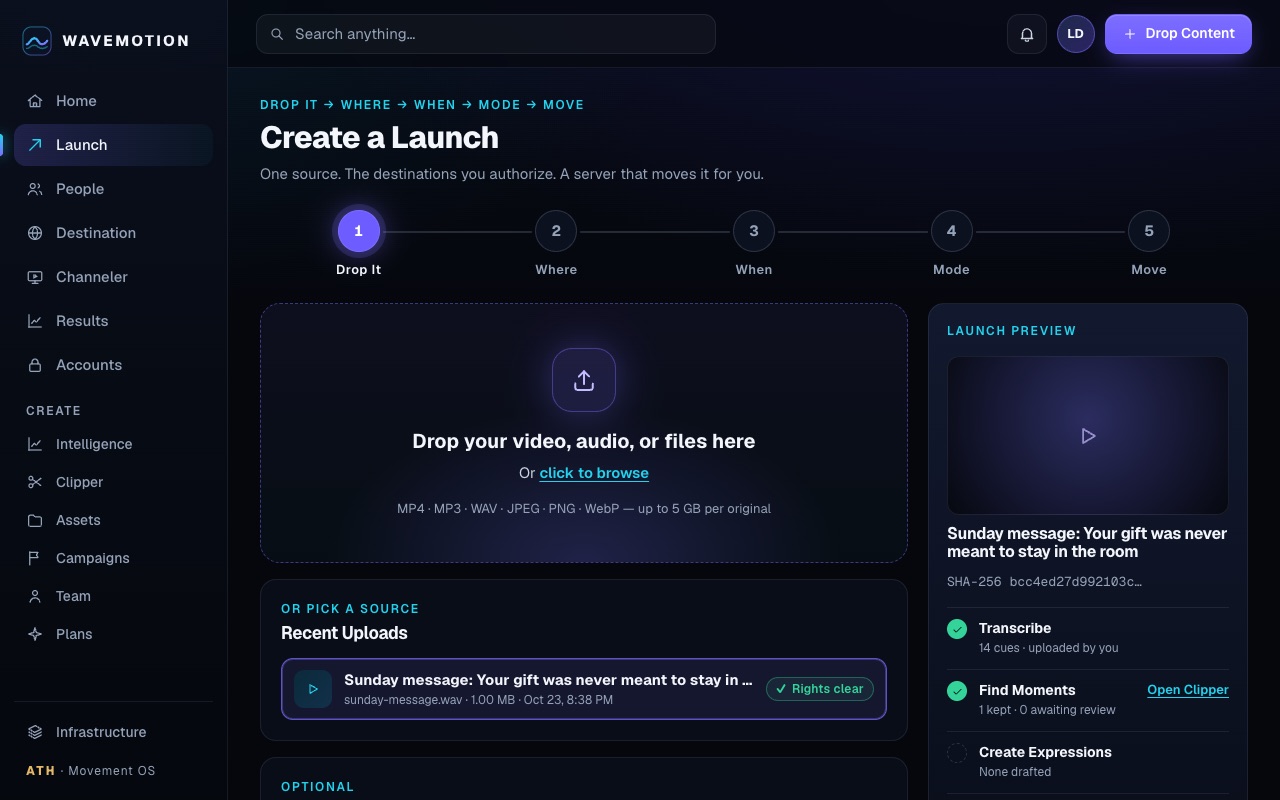
Upload a video from your phone. Tap to pick the parts you want (or let AI pick them for you) and get captioned clips ready to post. Post them to the accounts you connect, or save them to your phone and post them yourself.
Starts at $10 a month: one link for all your socials, your analytics in one place, and clips from your videos.
UPLOAD → MAKE CLIPS → POST
MADE HERE
Four things WAVEMOTION does that a scheduler alone does not
Screens below are the real app, captured from an example workspace we set up ourselves.
POSTING & SCHEDULING
Say where, when and how. It moves on its own.
Pick the accounts and the day, and it posts on time, even with the app closed. Where an app doesn't allow automatic posting, your clip and caption wait for you to post with one tap.
You can see every post, and one button stops anything still waiting.
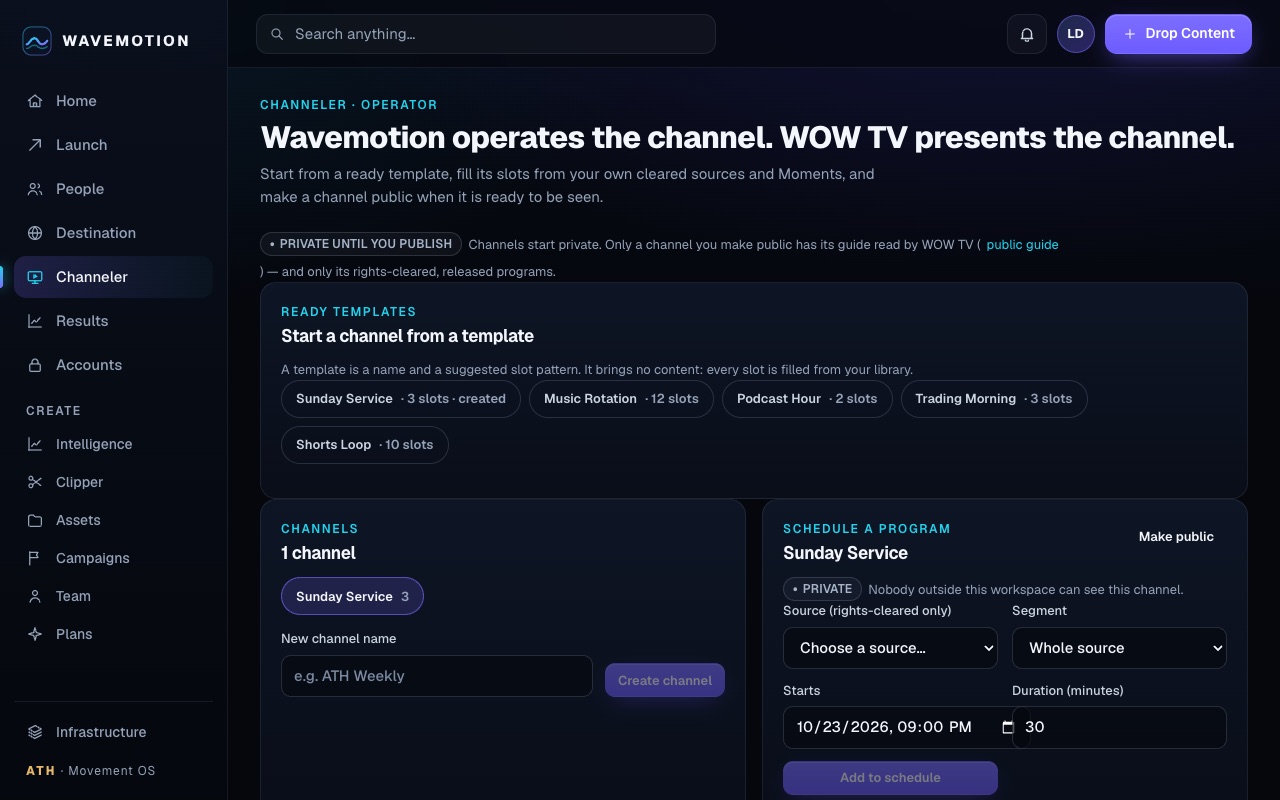
YOUR TV CHANNEL
Run your own TV channel.
Start from a ready template, fill the slots from your library and get a real programme guide. Make the channel public and it can appear on WOW TV; keep it private and the guide says so.
Nothing plays that you did not schedule, and only rights-cleared media from your own library can fill a slot.
BUSINESS PAGES
A front door that sells.
Your own page at wavemotion.live/d/you: up to 100 links, services with prices, opening hours, directions and a photo gallery, in five looks. Every tap is counted per link.
Only what you type appears. WAVEMOTION never invents a price, a review or an opening time.
CLIPS
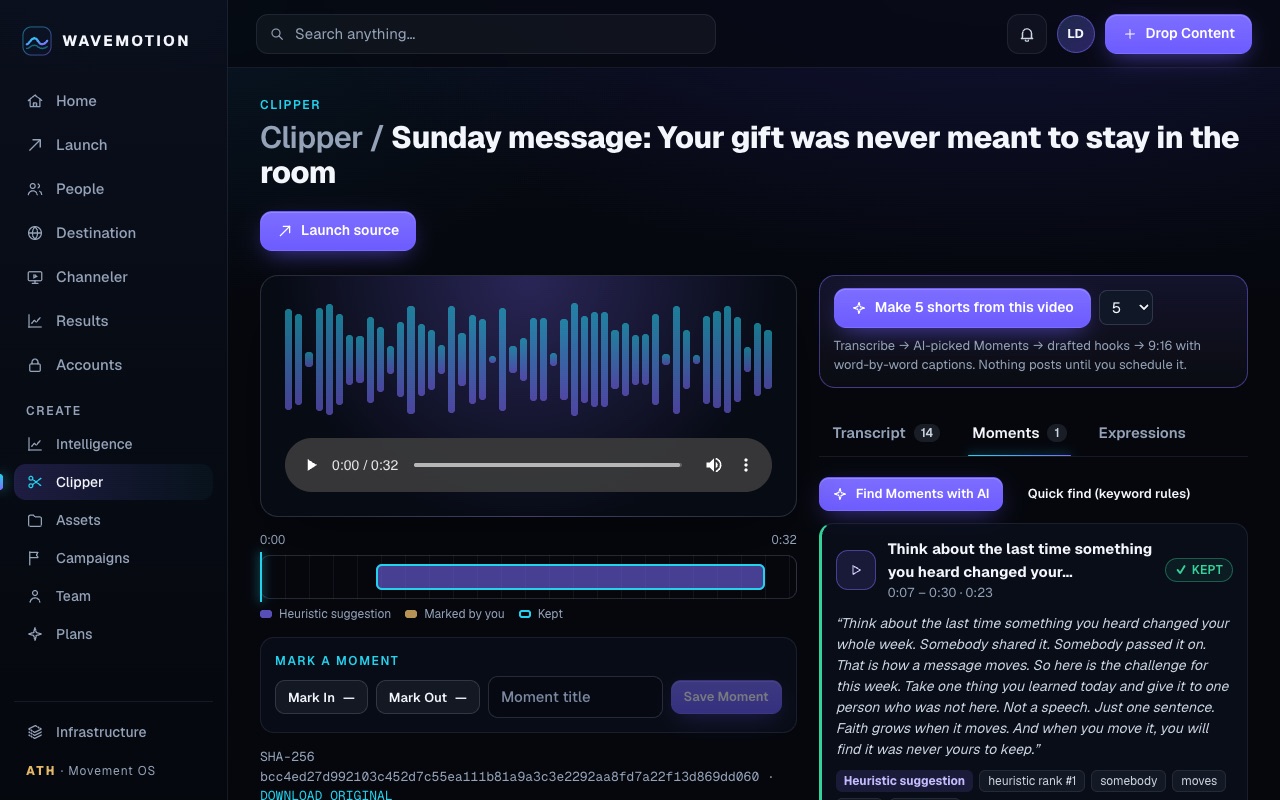
One video in, a week of shorts out.
Upload a sermon, podcast or performance from your phone. Tap to pick the parts you want, or let AI pick them and write the captions, and get 9:16, 1:1 or 16:9 clips.
Every plan includes its clips each month, and nothing moves until you approve it.
Upload videos up to 5 GB from your phone (iPhone MOV or MP4) or computer. We keep the original safe, and anything you delete waits 30 days in Trash.
Make clips
Tap to pick the parts you want, or let AI pick them for you. Get 9:16, 1:1 or 16:9 clips with your words on screen and captions.
Post or save
Post to the accounts you connect, now or at a time you pick, or save the clip to your phone and post it yourself. Each post is tracked so nothing posts twice.
One link page
One page for all your links, videos, services and offers, at your own address.
People
Fans can join your list only if they say yes. Views are never treated as permission to contact someone.
Clips included
Every plan includes its clips each month: drop in a sermon, podcast or performance and WAVEMOTION cuts, captions and delivers them back to you.
Results
What posted, what didn't, who responded and what earned. Your numbers from other apps sit beside them. If we don't know a number, we say so instead of guessing.
LIVING MARKETING INTELLIGENCE
Read every moment like a market, in two languages at once
Wavemotion turns a video's real retention report into Attention Candles and shows the same numbers as a living tide. Select a candle and the tide follows; every shape is bound to a number you can read. Every claim says whether it was observed, derived, inferred or only a hypothesis.
FarAll imported assets
MidOne whole asset
NearThe selected moment range
InspectThe source points behind it
01
Connect YouTubeSign in with Google; WAVEMOTION reads your own retention report.
02
Attention CandlesEach slice of the video becomes a candle: who stayed, who left, how fast.
03
Living TideThe same numbers as one moving wave. Select a candle and the tide follows.
04
Exact readoutEvery shape is bound to a number you can read, with its source and its age.
Every candle and every wave is drawn from your own authorized YouTube Analytics, never from made-up numbers. Connect a channel and your first chart appears with your next report.
Marketing Nectar: from moment to measured learning
01
Source materialYour original, preserved with a checksum.
02
Observed analyticsWhat the platform actually reported.
03
Competing explanationsAt least two, never one confident story.
04
Market MemoryWhat happened the last time you tried this.
05
Proposed changeOne variable, tied to a source moment.
06
Experiment setupControl, variant and a decision rule written in advance.
07
Outcome receiptThe measured result, from a connected source.
08
Decision JournalWhat you knew, believed, did and learned. Append-only.
Observed transaction ≠ identified person ≠ attributed touch ≠ proven cause. Wavemotion shows you which one you actually have.
PRICING · USD
Four plans. Your clips come with every plan.
HOLIDAY — through New Year's Use code HOLIDAY at checkout: half off your first 2 months, through New Year's (Jan 1, 2027, 11:59 PM CT). On Creator, code HOLIDAY50 still works too: your first month is $10 instead of $20. One code per checkout.
WAVEMOTION SOFTWARE
STARTER
$10 today
$10 today, then $10 a month
40 clips a month
CREATOR
$20 today
$20 today, then $20 a month
80 clips a month
PRO
$50 today
$50 today, then $50 a month
250 clips a month
LIVING CINEMA STUDIO
$75 today
$75 today, then $75 a month
250 clips a month
Everything in Pro
A PowerTribes mini office for your business (Solo size, sold alone at $29 a month), connected to your WOW Passport: opened for you by the ATH team after your first payment — we contact you to set it up
Every plan includes:
One video in, a week of shorts out: transcription, AI-picked Moments, drafted hooks and word-by-word captions in one click (uploads up to 5 GB)
Schedule them daily or weekly. Posts to YouTube for you (uploads start private). For TikTok, Instagram, X and Snapchat, Wavemotion gets the post ready and you tap to publish.
Living Marketing Intelligence: Attention Candles, Living Tide, Moment Nectar, Decision Journal
Living Destination: your own page at wavemotion.live/d/you
Server-side schedule that runs while you sleep: it posts for you where the platform allows it, and has the post ready and waiting where it does not
Up to 25 accounts per platform · Kill Wave stops every scheduled post at once
Which platforms Wavemotion can post to by itself, and which hand you a ready-made post to tap, is shown per account in Connections before you schedule anything. YouTube uploads start private; check visibility in YouTube Studio before promoting them.
Starts at $10 a month: one link for all your socials, your analytics in one place, and clips from your videos.
Paid securely on Stripe. Cancel anytime from Plans → Manage billing; access runs to the end of the period you paid for. Your library and results always stay yours.
Refunds. Setup fees are non-refundable once work begins. Monthly plans cancel anytime and stay active through the paid period; no partial-month refunds. Free trials cancel anytime at no charge.
CLIPS COME WITH YOUR PLAN
There is no separate clip menu: every Wavemotion plan includes its clips each month.
Wavemotion installs straight from your browser: its own icon, its own window, launch shortcuts. Nothing to unzip and no app store. Your posting keeps running on the server whether or not the app is open.
iPhone & iPad
Open wavemotion.live in Safari → Share → Add to Home Screen.
Android
Open in Chrome → ⋮ menu → Install app.
Mac
Safari → File → Add to Dock, or Chrome → install icon in the address bar.
Windows & Linux
Chrome or Edge → install icon in the address bar.
Install: In Chrome or Edge, select the install icon at the right of the address bar.
Your accounts, your permission
You connect each account on the platform’s own sign-in screen. Wavemotion never sees your passwords, and you can disconnect anytime.
YouTube. With your permission Wavemotion uploads the videos you launch to the channel you choose, and reads that channel’s name and upload list to confirm a post landed and never post twice.
No duplicates, no surprises. Every post is tracked, so nothing posts twice; automatic posting stays inside the limits you set.